
Practical first session
How to Play DELTARUNE Fight
Use the exact Roblox listing, record the device you are using, test the confirmed keys, and keep a clean evidence trail for anything the public description leaves open.
§First-session checklist#
- Open the Roblox listing linked on the identity page and compare the creator and Place ID.
- Write down your device: PC keyboard, mobile, Xbox, PlayStation, or another Roblox-supported setup.
- Test Z as Confirm and X as Go Back from a safe menu state.
- Test C in the live game and record the screen or menu label. The public listing deliberately says its use depends on the game.
- Stop before importing a boss, character, route, or code claim from a different DELTARUNE Roblox experience.
§Guide map#
Controls
The official Z, X, and C lines, plus the exact mapping gaps that remain.
Platforms
Mobile and console support is public. Device-specific inputs need an in-game pass.
Questions
Fast answers for codes, bosses, difficulty, routes, and video evidence.
Identity
Compare the creator, Universe, Place, and canonical Roblox URL before using a source.
§What the public listing can verify#
| Question | Current answer | Evidence class |
|---|---|---|
| What kind of experience is it? | A DELTARUNE fight sim fan game. | Official listing |
| Which platforms are named? | Mobile and consoles. | Official listing |
| Which controls are named? | Z Confirm, X Go Back, C depends on the game. | Official listing |
| Which boss is first? | Unknown from the public listing. | In-game evidence required |
| Which route or difficulty should I choose? | Unknown from the public listing. | In-game evidence required |
§The next useful capture#
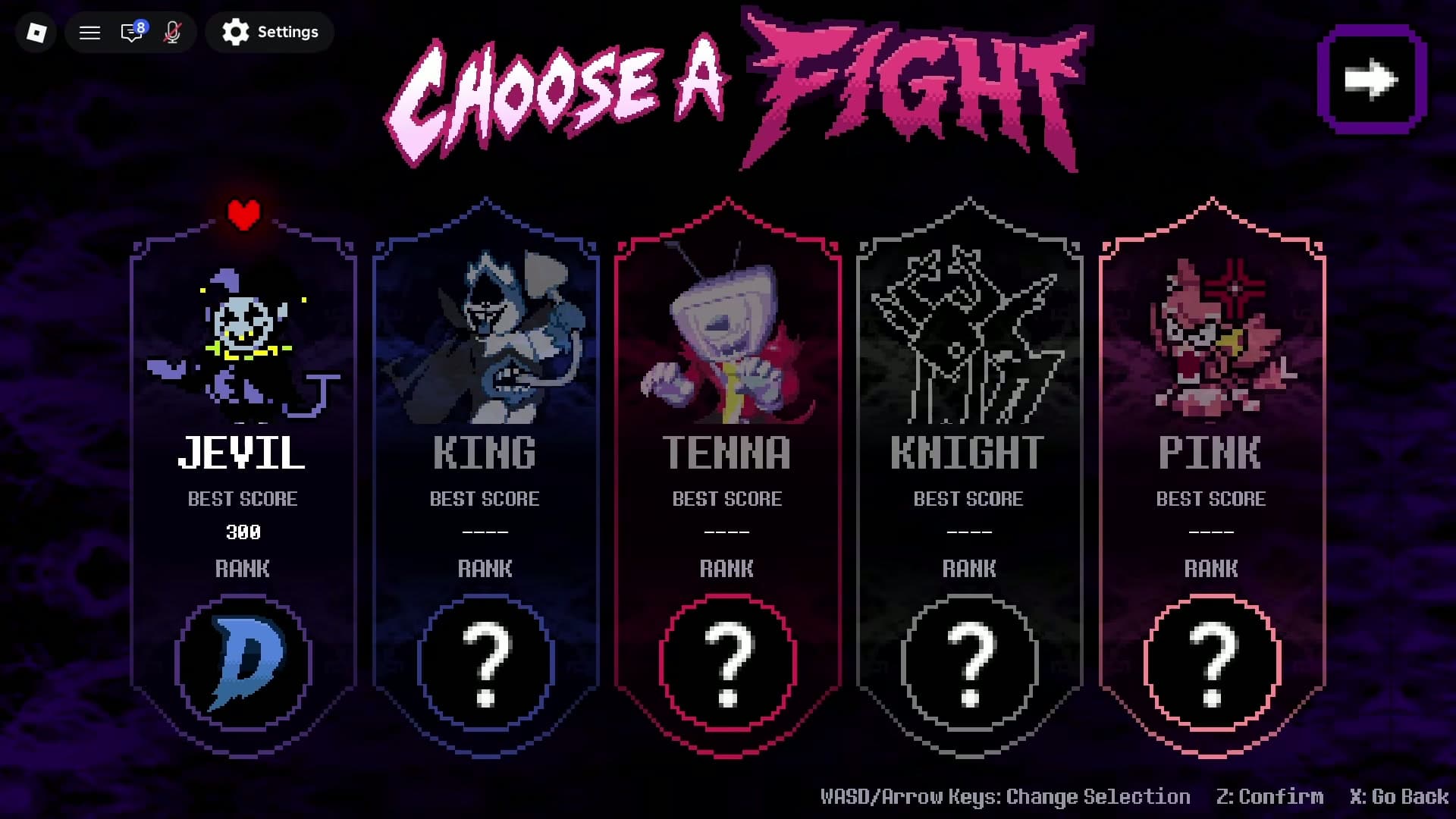
A good screenshot or video should answer one question and preserve the exact game identity.
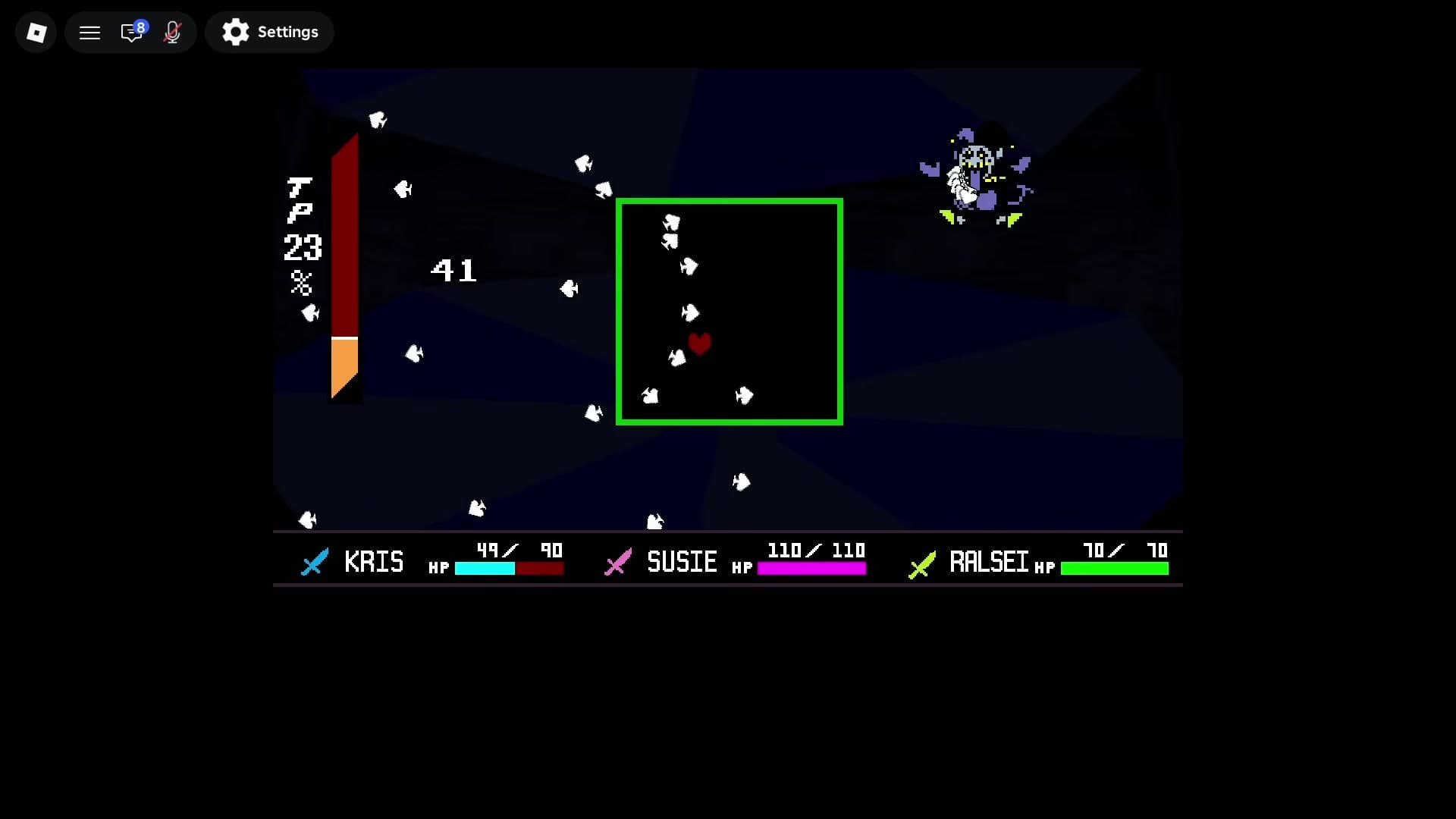
A recorded battle screen from this game's matching Roblox video shows the party strip for KRIS, SUSIE, and RALSEI, their visible HP values, a TP percentage, and a soul box. This is screen-visible interface evidence from one moment, so it does not establish the full combat rules or a canonical roster.
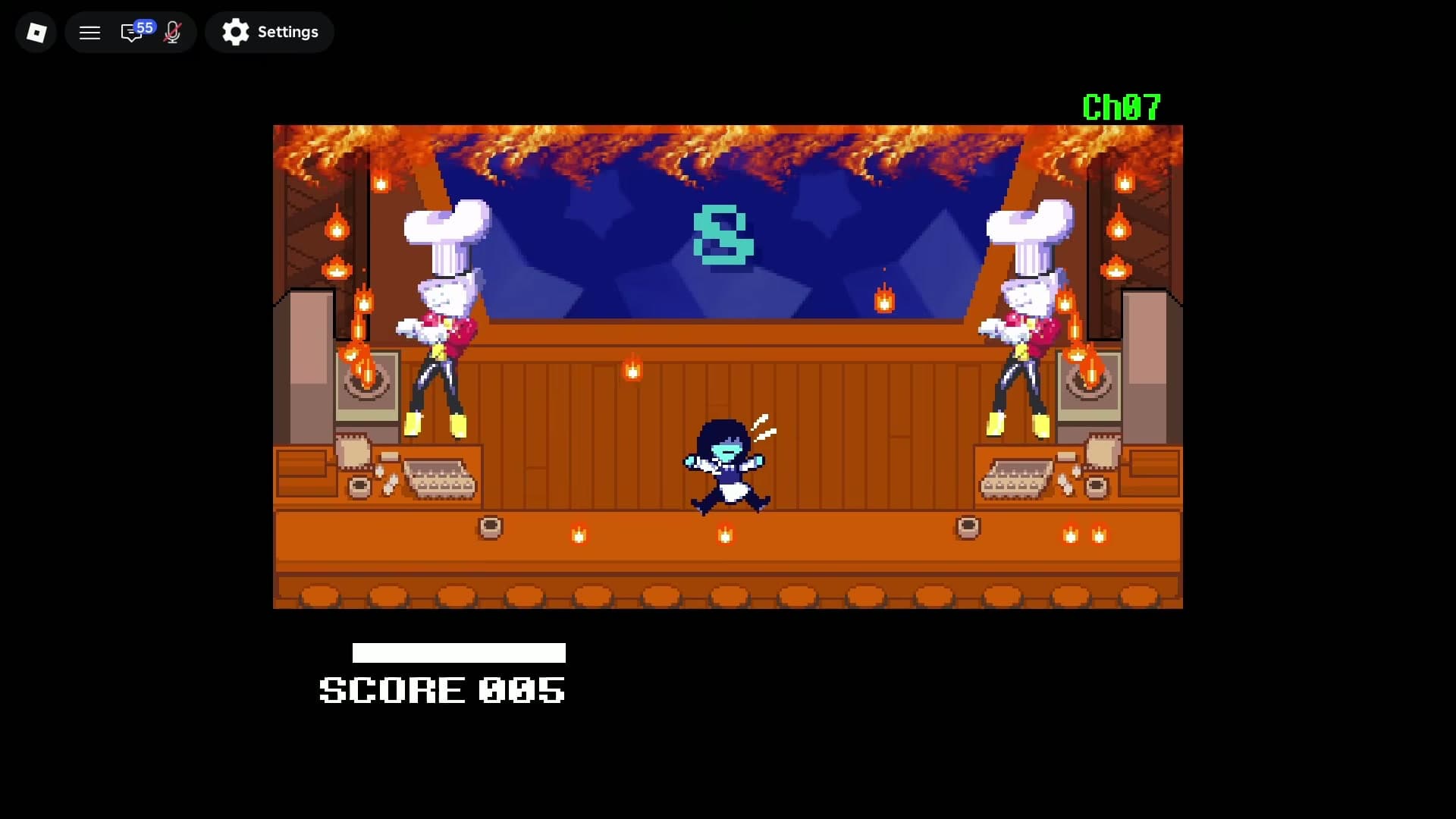
A later frame from the same recording visibly shows SCORE 005 beneath a fight scene. It proves that a score label appears in the recorded encounter, while the scoring formula, persistence, and unlock meaning remain unverified.
- Show the Roblox title or a visible link context together with the menu or fight screen.
- Capture the full control prompt when the game reveals a mobile or controller mapping.
- Name the menu, boss, character, mode, or route exactly as it appears on screen.
- Keep the capture date and device. A live update can invalidate an older observation.
§FAQ#
Does this guide cover a chapter-by-chapter Roblox story route?
The public listing only identifies a fight sim fan game. A chapter route, lobby route, or progression route remains unknown until the live experience is inspected.
Why does the first session avoid naming a lobby?
The checked official sources do not name a lobby or map. The guide keeps that field open instead of importing a similarly named game's structure.
§Related pages#
Home
DELTARUNE Fight Simulator Guide
An unofficial guide to the ItsIsaacIO Roblox experience DELTARUNE Fight [UPDATE], with an explicit identity check and source boundary.
GuideArticle
Controls: Z, X, and C
The confirmed DELTARUNE Fight control lines and the input mapping gaps that still need in-game verification.
GuideArticle
PC, Mobile, and Console Support
What the public Roblox listing confirms about platforms, plus the device questions that still need live testing.
GuideArticle
Player Questions: Verified and Open
A question-first index for DELTARUNE Fight, with answers limited to the exact ItsIsaacIO Roblox experience.
Source
Identity Check: Match the Roblox IDs
A practical identity record for separating ItsIsaacIO's DELTARUNE Fight from similarly named Roblox experiences.